


At Logic, agents are everywhere. They power everything we do, from building your APIs to running the agents you build. And they do this quite well! Our customers automate hundreds of thousands of tasks every month with us.
But as any engineer knows, your work is never “done.” There’s always a new requirement to add or a new library to adopt.
When you add LLMs to the mix, things get even trickier. These models aren’t just unpredictable. Sometimes they just make things up that look right but are completely wrong.
So, how do you build your business on top of such unreliable technologies? At Logic, we’re tackle this with an approach that may sound a bit counterintuitive: use more agents. Agents to keep agents in check. And it works.
When Traditional Testing Fails
Until recently, most business automation was built with code or abstractions over code like workflow graphs. Because you used code to build it, you used code to test it. This worked because code and workflow graphs are deterministic: if you give it the same input, you expect the exact same output every time. You write a test with a specific “assertion” (like output === expected), and if a single character is out of place, the test fails. It’s consistent, but inflexible.
At Logic, instead of writing thousands of lines of complicated code, you just describe your process in a few paragraphs and then we give you an agent.
But while the code / graph is gone, the autonomy and flexibility of an agent doesn’t come for free. You still need to make sure your process works reliably. The problem is that traditional “code-testing-code” doesn’t work for LLMs. A correct answer might come in a hundred different forms, and the same for “incorrect” ones. A traditional test can’t tell the difference between a minor wording change and a major hallucination.
If you try to use old tools to test new agents, you end up with “iteration paralysis.” You become too afraid to touch a prompt or try a new model because you have no automated way to prove the system is still safe.
To ship agents with confidence, you must move from rigid code assertions to flexible, semantic evaluations.
Using Agents to Test Agents
The solution we’ve adopted is to let LLMs do something they’re great at: understanding meaning. We use test-suite agents to create relevant tests for your process. We use other agents to judge whether a given output is correct, even if the specifics change between runs.
Synthetic Tests
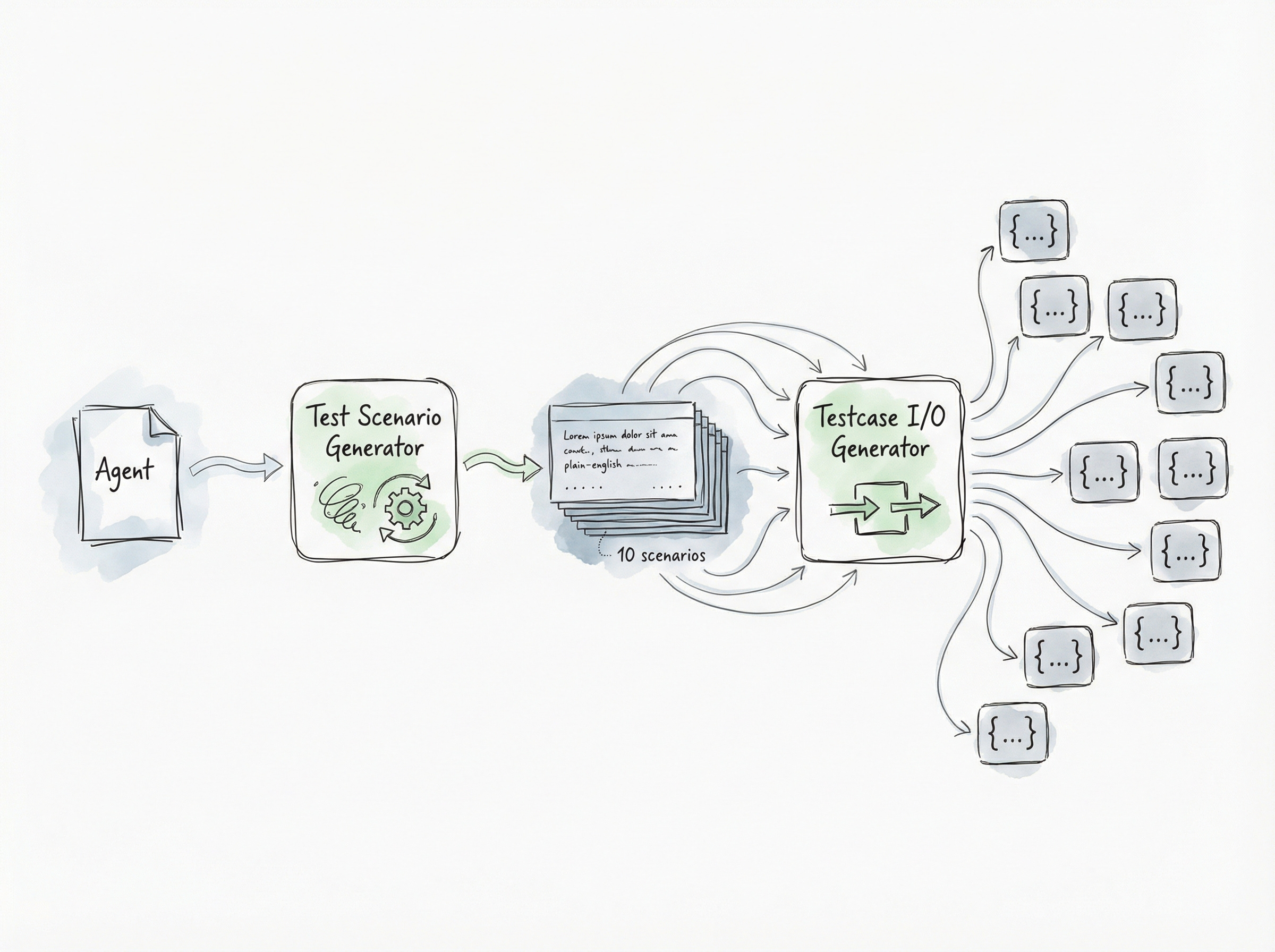
When you create a new agent in Logic, we create tests in two steps:
The Scenarios: One specialized test authoring agent enumerates different scenarios to consider. It’ll handle the “happy paths”, but also edge-cases and the underspecified nooks-and-crannies in your spec.
The Data: A second agent takes those scenarios and generates the actual inputs and “expected” outputs.
Note: By the time our system has started generating tests, we’ve already ran other agents that, among other things, have figured out the inputs and outputs for your process and generated a schema. The testing agents reference and take advantage of these other agents’ artifacts.
By separating what to test (“what are scenarios that we want to ensure will never fail?”) from how to test it (“what input and output values should be used for this scenario?”), our agents can focus and work in parallel1.
Real-World Tests
Logic also keeps a history of all of the runs your agent has performed. You can take any real-world run from your history and turn it into a permanent test case with one click.
Every time you change your process, you can test the modified process against all of the real-world tests you’ve enumerated, as well as the synthetic tests.
This is the best way to guarantee your agent is always returning correct results for the scenarios that matter to you.
Judging the Results
The hardest part is checking the final result. Some fields (like numbers or categories) need to be exact. Others (like summaries and poetry) just need to be “right.”
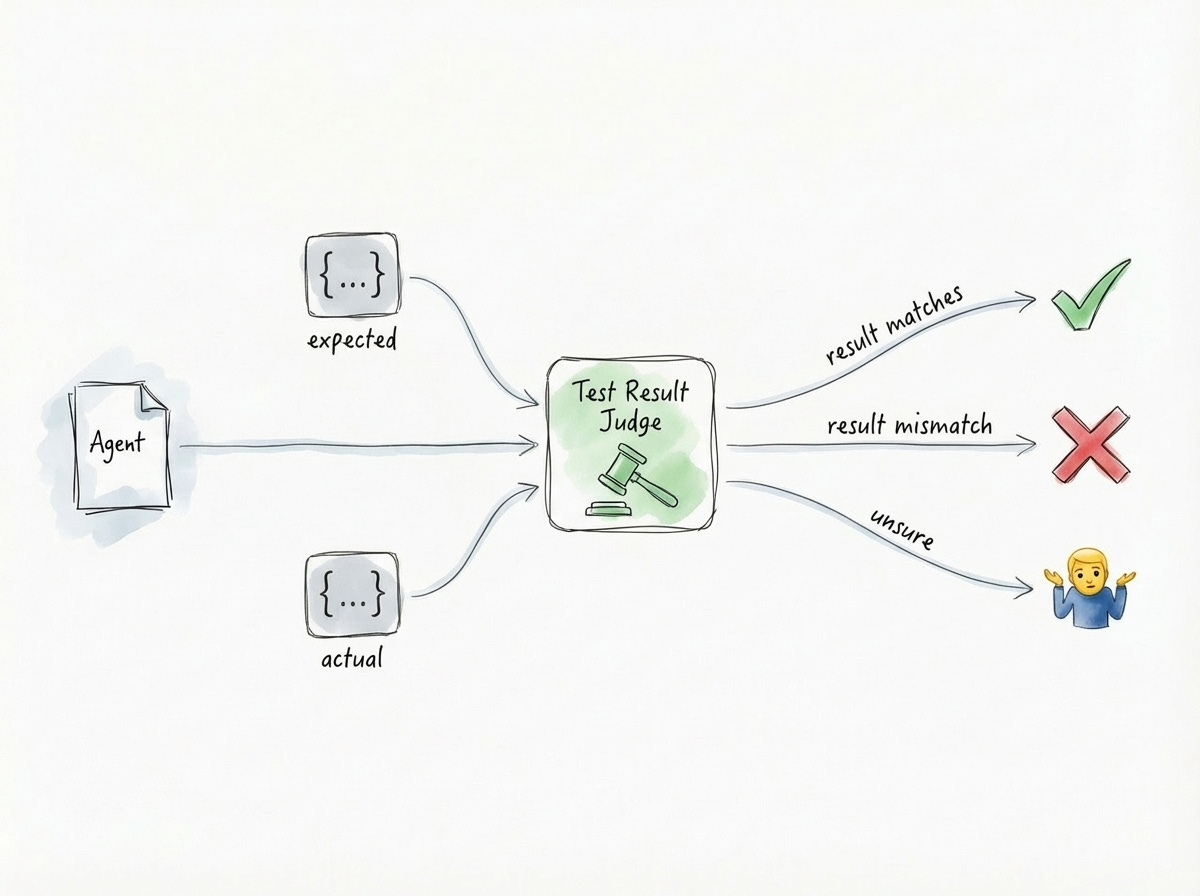
To handle this, we give a judging agent your spec, as well as the “expected” result and the “actual” result from the test case. We ask it: Are these two things effectively equivalent according to what the spec lays out?
The result is a Pass, Fail, Error, or a “🤷” (when it isn’t confident). No matter the answer, the agent also generates a plain-English explanation of why it concluded whatever it concluded. This keeps you in the loop so you can decide if the test is wrong or if your agent needs a tweak.
Keeping Tests Fresh
As you change your Logic agent over time, old tests might not make sense anymore. Instead of forcing you to rewrite them (or worse, leaving around invalid tests), Logic reviews them for you.
We give your changes to yet another specialized agent, asking it to review your existing tests. For every test, the agent decides: keep it, update it, or toss it. We try to keep as many tests unchanged as possible, but this ensures your safety net actually fits the agent you’re building today.
Upgrading Models Without Breaking
Agent tests help you evolve your agents safely, but another part of Logic’s promise is that we make sure your agents are running on the latest and greatest models available without you lifting a finger.
So there’s a second type of testing we do for you that’s just as important: model testing.
These days, new models come out every few weeks (sometimes multiple times per week!). We handle upgrading these models for you so you can stay on the cutting edge without doing the grunt work2.
Changing the underlying models that run your agents carries similar risks to changing the agent itself. Before we upgrade to a newer model, we want to make sure it isn’t going to start generating worse results or slower performance.
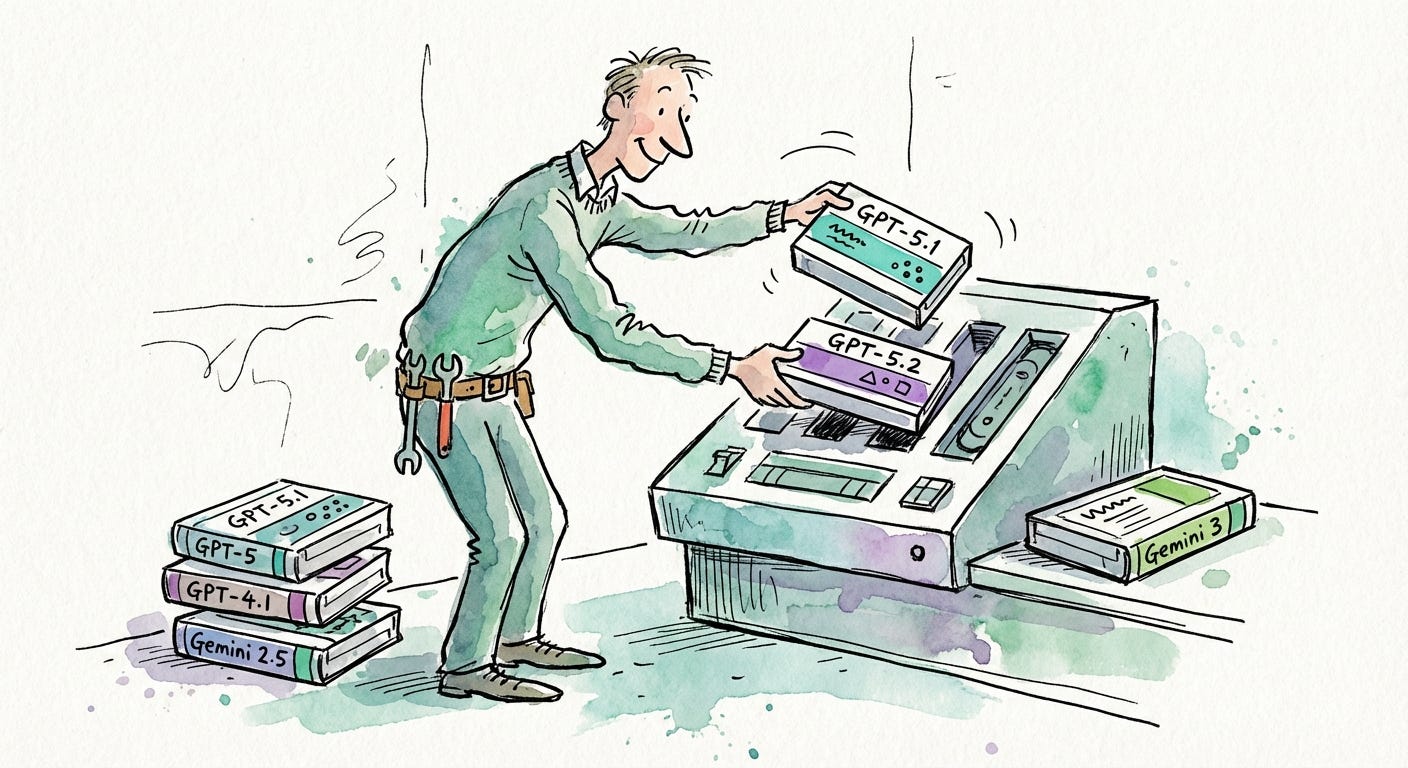
To upgrade models thoughtfully, we use a few different testing layers:
Backtesting with Real-World Samples
First, for each customer agent, we take a random sample of the agent’s execution history and re-run them with the new model3. We then compare the old results to the new ones, using a very similar mechanism to the judge agent above. Does the new model, in general, outperform the old one, did it regress, is it ambiguous?
This allows us to easily run and rerun comparisons for a large number of executions and identify which ones need additional analysis4.
We’ll use these results to influence how we choose the best model that works for your agent(s). In fact, every organization in Logic could have an entirely different routing table.5
Occasionally, for agents that have fallen behind, we’ll use this process to identify ambiguous agent specs to customers. They can then choose to improve their spec, unblocking their ability to use the latest models.
Checking Our Own Tools
Since Logic uses LLM agents to generate your APIs, tests and integration guides, we also test the new models against a large internal suite of agent templates. Just like testing with real-world samples, we created separate, internal Logic agents to evaluate each aspect of agent creation. If a new model doesn’t improve agent creation, we don’t ship it until we’ve tuned our prompts to fix it.
Every time we make a change to Logic’s internal agents, we validate over 10,000 characteristics of their functionality.
Ship with Confidence
Our goal is to help you go from a blank page to a production-ready agent, runnable via a custom ergonomic and well-typed API, in just a few minutes. We’ve mechanized all of the best practices for you, so you can just hit “deploy” knowing your process won’t fall apart when a model changes or an unexpected input gets passed in.
LLMs will always be a little bit unpredictable. But with the right supporting infrastructure, that unpredictability can be tamed. It just becomes another part of the process, and you’ll be sleeping well at night with the confidence that your agents will keep on working.
Using a single agent to generate scenarios gives us broad coverage while avoiding overlapping test coverage. Creating inputs + outputs in parallel allows test cases to be generated in parallel while taking advantage of the full LLM context window. Meaning tests that might have large inputs or outputs don’t compromise other tests that don’t.
In the past four months, we’ve successfully managed half a dozen model upgrades, including: GPT-4.1 -> 5, then 5.1, then 5.2 and Gemini 2.5 -> 3. The only thing our customers did as part of these upgrades is enjoy faster and more capable agents.
This general technique of running customer tests on customer data was roughly motivated by a similar technique that Salesforce uses. The co-founders of Logic both spent years working at Salesforce (one even sold a startup to them).
All of these executions are automated and follow the same data isolation, SOC 2, and HIPAA compliance (where applicable) that the original executions ran with.
In practice, they don’t. Most orgs are able to take advantage of our default routing table that biases towards the latest models. It is rare that a new foundation model performs worse for an existing agent. Logic does a lot of context annotation behind the scenes, transparent to you, to help ensure this is the case.